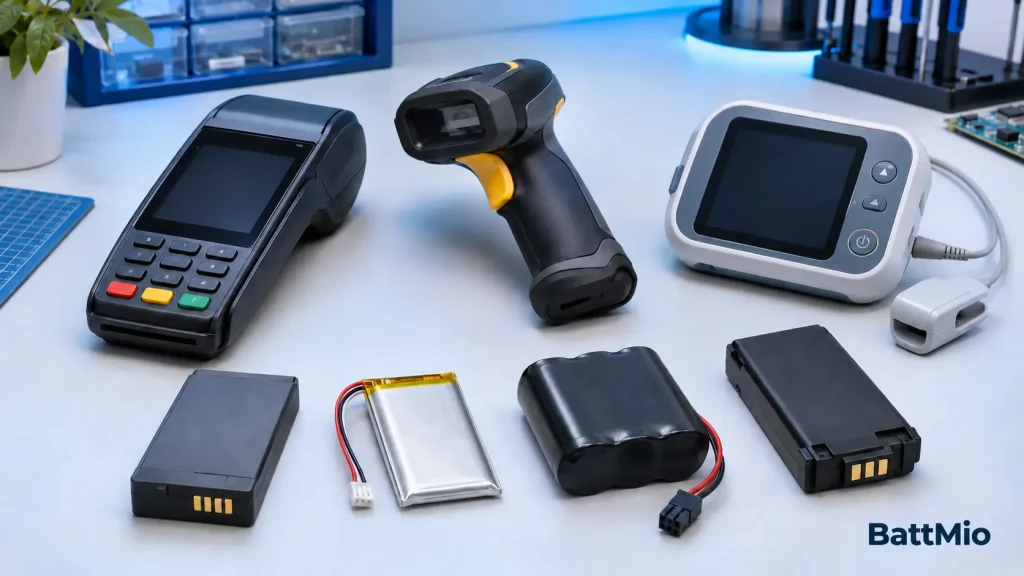
A battery that looks almost identical to your original one may still be unsuitable for your device. The most reliable way to choose a replacement battery is to match the original part number and verify its electrical, mechanical, and communication requirements—not simply to choose a pack with a higher capacity.
What should you check before buying a replacement battery?
Start with the device model and original battery part number. Then confirm the battery chemistry, nominal voltage, connector and pinout, physical size, capacity, protection features, and device-specific compatibility. For professional equipment, follow the device manufacturer’s service instructions and have uncertain replacements checked by a qualified technician.
1. Identify Your Device and Original Battery
Before comparing battery listings, collect the information printed on your equipment and its existing battery. A POS terminal, barcode scanner, medical device, or industrial handheld may have several hardware versions that use different battery packs—even when the devices share a similar commercial name.
If the label is worn or missing, check the equipment manual, manufacturer documentation, or the previous purchase record. Do not guess a battery model from appearance alone.
2. Compare the Specifications That Determine Compatibility
The following items should be reviewed together. Matching only one specification—for example, 3.7 V or 2600 mAh—is not enough to establish compatibility.
| Specification | What to verify | Why it matters |
|---|---|---|
| Battery chemistry | Lithium-ion, lithium-polymer, LiFePO4, NiMH, etc. | Different chemistries can require different charging and protection conditions. |
| Nominal voltage | Match the original battery and approved device specification. | Incorrect voltage can cause malfunction or damage. |
| Capacity (mAh / Wh) | Check the required runtime and approved range. | Capacity affects energy storage; it does not prove compatibility. |
| Dimensions and shape | Length, width, thickness, tabs, housing, and clearance. | The pack must fit securely without pinching or bending. |
| Connector and pinout | Connector series, position, polarity, and every signal contact. | Identical-looking plugs can have different electrical assignments. |
| Protection and signals | Protection circuit, thermistor (NTC), ID, SMBus, or other data lines where used. | Some devices monitor temperature, identify the pack, or communicate with it. |
| Current capability | Discharge demand, peak loads, and the approved charging method. | The battery must support real device operating conditions. |
3. Understand Capacity: Is a Higher-mAh Battery Always Better?
Capacity indicates how much charge a battery can store under specified test conditions. A higher mAh rating can provide longer operating time if the battery is otherwise approved and compatible with the device. It is not a universal upgrade.
For an approximate energy comparison, use watt-hours:
Watt-hours (Wh) = Nominal voltage (V) × Capacity (Ah)
For example, a 7.4 V, 2,600 mAh battery has a nominal energy of approximately 19.24 Wh (7.4 × 2.6). Actual runtime still depends on the equipment, load, battery age, and operating conditions.
Do not choose a physically larger pack, change the cell arrangement, or substitute a different chemistry merely to gain capacity. Confirm the enclosure, charging system, and battery management requirements first.
4. Check Connectors, Polarity, and Battery Electronics
A common replacement mistake is to focus on the outer connector while overlooking its wiring. Two battery packs can have similar housings or the same number of terminals but different internal connections.
- Positive and negative terminals: the polarity and contact layout must match the approved design.
- Temperature sensing: some packs use an NTC thermistor monitored by the device or charger.
- Identification or communication: some professional devices require an identification resistor, dedicated signal, or communication with the battery management system.
- Protection circuit: the battery pack may include overcharge, overdischarge, overcurrent, or short-circuit protection appropriate to the application.
Never assume that wire colors or connector position alone identify a terminal. For uncertain wiring, ask the original manufacturer or an experienced battery supplier to review the design; do not experiment by connecting an unverified pack.
5. Special Considerations by Device Type
POS Terminals
Check the exact terminal model, original battery P/N, charging contacts, pack thickness, and any model-specific battery authentication.
Barcode Scanners
Confirm the scanner and cradle models, contact arrangement, latching mechanism, and operating current during wireless scanning.
Medical Devices
Follow the device manufacturer’s maintenance instructions and approved battery requirements. Battery replacement may require professional servicing or validation.
For medical or other safety-critical devices, the required approval and validation process may be more restrictive than for ordinary handheld electronics. Device reliability and the manufacturer’s instructions take priority over convenience or cost.
6. A Practical Step-by-Step Replacement Battery Selection Process
Confirm the exact equipment version
Write down the device brand, complete model, and revision if available.
Find the original battery identifier
Photograph the original battery label and note its part number and electrical ratings.
Check physical compatibility
Compare pack dimensions, housing design, contact placement, locking tabs, and available space.
Verify electrical and signal requirements
Compare chemistry, voltage, approved charging conditions, connector pinout, protection, and communication features.
Request confirmation before ordering
Share clear photos and specifications with the supplier; ask for written compatibility confirmation where appropriate.
Validate the replacement safely
Follow the manufacturer’s installation and testing instructions. For professional fleets, assess a sample before a bulk deployment.
7. Mistakes to Avoid When Buying Replacement Batteries
- Buying by device family alone: a product series can include several incompatible hardware versions.
- Matching voltage but ignoring chemistry: similar voltage labels do not guarantee compatible charging behavior.
- Assuming every connector pin is the same: power, temperature, and communication contacts can differ.
- Choosing the highest capacity without checking fit: a pack that does not fit the original enclosure is not an appropriate replacement.
- Skipping sample validation for fleet purchases: a small trial can reveal fit, charging, or communication issues before a larger order.
- Using an unapproved pack in critical equipment: always follow manufacturer and applicable service requirements.
Frequently Asked Questions
Can I use a replacement battery with more mAh than the original?
Possibly, but only when the replacement is otherwise approved or confirmed compatible. Capacity alone does not indicate whether the pack will fit, charge correctly, deliver the required current, or communicate with the device.
Can I use a 3.7 V battery instead of a 3.6 V battery?
Not based on the nominal-voltage label alone. Some lithium-ion cells use different nominal rating conventions, but you still need to verify chemistry, charging limits, protection, connector wiring, and manufacturer-approved compatibility.
What if I cannot find the original battery part number?
Provide the full device model, hardware revision, clear photos of the battery and contacts, measured dimensions, and available electrical ratings. A qualified supplier or device manufacturer can help identify a suitable option.
Why does a new battery fit but the device does not recognize it?
Possible reasons include incompatible identification or communication circuitry, incorrect contact mapping, protection behavior, or a battery variant not supported by that hardware revision. Do not bypass safety or authentication circuits.
Should I replace a swollen, damaged, or overheating battery myself?
No. Stop using and charging the affected equipment, follow the manufacturer’s safety instructions, and arrange professional assessment and proper battery handling. Do not puncture, squeeze, or continue testing a damaged lithium battery.
Need Help Identifying a Compatible Battery?
BattMio helps buyers source replacement batteries for POS terminals, barcode scanners, medical equipment, and other professional devices. Send us the device model, original battery part number, photos, and estimated quantity so we can review the requirements with you.
Request a Battery Compatibility Check →This guide provides general selection information. Always follow the equipment manufacturer’s instructions, particularly for medical, safety-critical, or regulated devices. For additional consumer guidance, see the U.S. Consumer Product Safety Commission’s replacement-battery safety advice.